
To Fix error 0x00000e9 in Windows

Error 0x00000e9 is an I/O error , problem related to your hard drive. Often you can get this error when installing windows 7 or windows 8. Here are some way to overcome it! First to check the consistency of your installation drive, to do it get MD5 hash checker and install it. It will check […]
To Avoid message “Disk is write Protected”

This message will be displayed only if your register entry is corrupt, or administrator has some limitation or the device itself is protected from unauthorized writing. Here are some ways to avoid this message. 1. If the hardware lock in the device is pushed, it protects accidental writing. Push it back, to disable this write […]
Activate or De-activate CPU core parking in windows 7
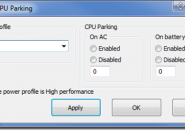
Core parking features helps you to select a set of processor to stay idle based on their power policy and utilization. It reduces the energy consumption which in turn reduces heat and power usage. You have to manually edit registry entries to activate or de-activate this feature and rebooting it. The state of parked cores […]
Laptop battery shows you fully charged even though it is not!

Your laptop battery icon may confuse you by showing you as fully charged and it can stand for 10 hours, but it will go off after few hours of use. You will be in great mess! Here are some tips to fix this problem, Refresh your battery icon by turning it off and on. Refresh […]
How to Enable or Disable Gadgets in Windows 7

This tutorial will show you how to enable or disable all currently running gadgets, and from being able to add new desktop gadgets for all users in Vista and Windows 7. Using a REG File Download 1. To Enable Gadgets A) Click on the Download button below to download the file below. Enable_Gadgets.reg B) If […]
Avengers SHIELD OS rainmeter skin

The design of the skin is taken directly from the computers on the Helicarrier in The Avengers. I got all of my reference material from the actual designer of the UI for the movie. The package itself contains most of the typical skins you’d expect: Clock – Intricate clock design as well as the actual […]
Enable Animated wallpapers in Windows 7 using DreamScene
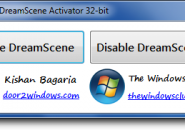
Most of Vista users would be aware of Dreamscene. Dreamscene allows users to have animated wallpapers. But unfortunately that dreamscene is removed from Windows 7. So In this tutorial i will show how to activate the Dreamscene feature in Windows 7 using Dreamscene Windows 7 Activator. The activator is a small freeware portable app which […]
Create A Custom Desktop Slideshow in Windows 7
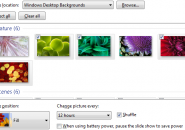
To add some variety to your desktop or showcase your own photos, you can create a custom desktop slideshow that will regularly change your wallpaper. > Right-click desktop, select > Personalize, and click on > Desktop Background. To create a slideshow, you need to select any entry from the > Picture location drop-down menu other […]
How To Change Windows 7 Logon Screen manually

Windows 7 has the ability to change the logon screen built into it using registry. Well It’s a sort of functionality that makes it easy for OEMs to include their custom branding, but nothing stops you to take advantage of it. In this article we shall first look into how you can change the logon […]
iBaked skin pack for windows 7
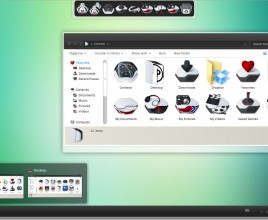
Transform Windows 7 to iBaked Look. If you have never had the taste of Mac then this transformation pack might be something that comes in handy. It provides you a hands-on experience with ibake interface by transforming your Windows 7 into iBaked Skin. Transforms entire interface to IBacked Skin, visual screen & style, sounds, docs, […]

