
CMD to perform administrative operation easily in windows

You can come up lot of errors in windows, and to report those errors you have to copy that error and send it to the concerned authorities via any mail or chat. You don’t have to copy those error, let cmd to do it automatically copy those error to clipboard. Insert the command |clip at […]
Safe file storage and handling in windows 7
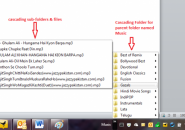
Windows 7 has default libraries or folders such as documents, pictures, music and video to save the files correspondingly! You can tag files on these libraries without moving files from its original location. Since the libraries are named rightly, you can access the file which you want if you tag those files accordingly! But these […]
What are the user rights to access files and folder in Windows

If you are saving any document in a file or folder, the windows will assign default rights to access these document. So that any one can see your document, they can read, write and edit it! If you don’t want any unauthorised person to edit it then you can restrict his access to the file. […]
Get frequent windows updates for windows 7 and windows 8
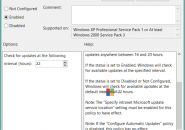
Windows has default option to check for regular new updates for every 22 hours. But you can make it to check frequently by customizing it, the following procedure is same for both windows 7 and windows 8! Go to local computer policy-computer configuration-administrative templates-windows components-windows updates In that double click the “automatic update detection frequency” […]
Default drag and drop behavior in windows

When you drag and drop any files from one location to another, sometimes it will be copy or sometime it will be moved. To know when it perform copy operation and move operation, here are the answers, If a file is moved from one drive to another drive, the operation is Copy. If you drag […]
How to compress files, folders and drives in windows to save disk space
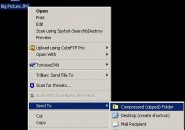
The data’s will be compressed by compressing the repeated data’s by a set of algorithm and it will decompressed when you access it. To compress a file or folder, Rightclick on that file> advanced compress>Ok To compress a drive, Rightclick on that drive>compress>Ok Do not compress system drive You can compress the system drive in […]
Backup and Restore your wireless network profile!

To backup and restore your wireless network profile, windows 7 has an inbuilt feature to do it easily. For USB pen drive or any mass storage device, follow the steps to backup profiles, 1.Go To, control panel>all control panel items> network and sharing. In that click manage wireless network. 2.Select the connection you want to […]
To overcome Windows 7 booting problem after compressing system drive

To save disk space, you may have to compress the system drive, but it will result in booting problem. Here are some ways to overcome it. 1.Run startup repair Execute startup repair option for 3 times, it may or may not help you to fix this problem if the boot loop made is complex. 2.Then […]
Fix Microsoft automated troubleshooting (MAT) package to fix windows problems and issues
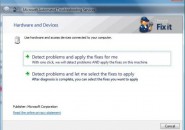
Once you install MAT package, it will automatically perform troubleshooting based on the type of error, analyzing the root cause for it and fires it. It will determine the right solution for windows related problems and issuses. For MaT user, the urls required to configure firewall and if this diagnostic package is not working properly, […]
Upgrade to Windows 8 Pro for Just $39.99

For Those who are using windows 7,vista and windows XP can easily upgrade to windows 8 pro by purchasing windows 8 upgrade assistant for $39.99. You can download windows 8 pro from windows upgrade assistant in step by step process. 1. First, the assistant will check the compatability of your system, whether it can able […]

