
To Fix error 0x00000e9 in Windows
Error 0x00000e9 is an I/O error , problem related to your hard drive. Often you can get this error when installing windows 7 or windows 8. Here are some way to overcome it!
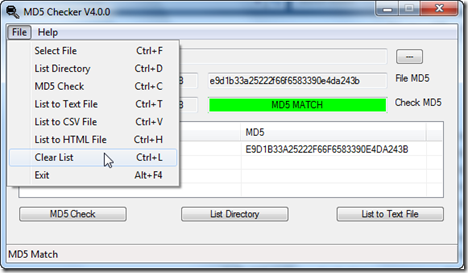
First to check the consistency of your installation drive, to do it get MD5 hash checker and install it. It will check if any bad ISO image burned to the disk. Microsoft has published the Md5sum hash in the download page of Windows 8. Compare the value with the file you have downloaded and make sure the Md5sum hash value matches.
If the problem with partition that you have selected to install, format the partition to make it visible to install, better back up your data before doing it.
You can also MiniTool partition wizard bootable CD 7.1, to backup and format the partition!
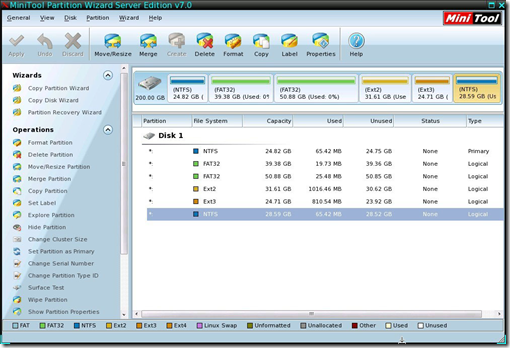
Scan your hard drive to remove bad sectors using troubleshooting softwares to fix it!


One Response to “To Fix error 0x00000e9 in Windows”
I have the same error 0x00000e9 is an I/O error after I have installed Windows 7 on a brand new intel 520 series ssd.
I have to mention that I changed the cable between SSD and motherboard.
Also when I try to install OS on SSD in AHCI mode I receive a black screen and “disk read error”
Can anyone help me to solve this issue ?